Laboratory Deck: Build a Polished Business Pitch
Creating a presentation that looks both professional and visually cohesive can be a significant hurdle for any business. The Laboratory Deck PowerPoint Template is designed to solve that exact problem, offering a structured yet flexible foundation for your next pitch, report, or internal strategy session. It’s more than just a set of slides; it’s a system built for clarity and impact.
A Modern Framework for Your Ideas
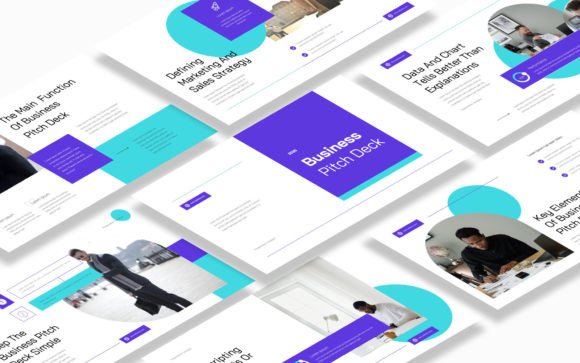
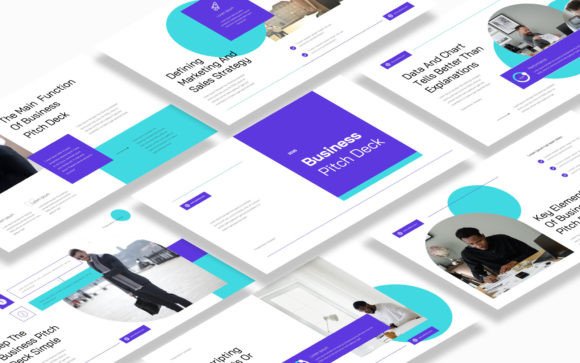
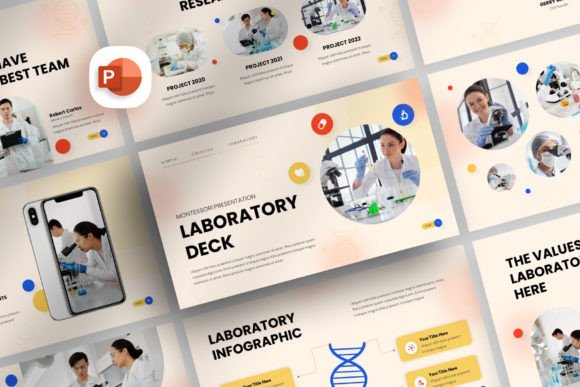
At its core, the Laboratory Deck template presents a clean, modern aesthetic. The design philosophy here is minimalism with purpose. Each of the 35 slides utilizes ample white space, a refined color palette, and structured layouts that guide the viewer's eye naturally. This isn't about flashy animations or distracting backgrounds; it's about creating a calm, focused environment where your content—the data, the strategy, the story—takes center stage. The personality is one of quiet confidence and professionalism, making it suitable for everything from a startup investor pitch to a corporate quarterly review.
The visual appeal is in its versatility. The use of vector shapes means every element is crisp at any size, from a boardroom projector to a tablet screen. The special clean backgrounds ensure your charts, infographics, and key messages have the contrast and readability they need. This template functions like a premium set of design assets, giving you a library of components—like timelines, team grids, and price tables—that you can mix, match, and adapt to your specific narrative.
Practical Applications Across Your Business
Where does a template like Laboratory Deck truly shine? Its strength lies in its adaptability across a spectrum of professional needs. For entrepreneurs and small business owners, it’s the backbone of a compelling business proposal pitch deck. The pre-built slide types for portfolio showcases, team introductions, and service breakdowns save hours of layout work, allowing you to focus on refining your message.
Marketers and brand strategists will find it invaluable for campaign post-mortems, brand identity presentations, or client onboarding decks. The consistent visual language helps reinforce brand perception and professionalism. Content creators and bloggers can repurpose it for media kits or partnership proposals, presenting their audience metrics and content themes in a visually engaging way. Even for internal communications—project kickoffs, performance reviews, or training modules—the template provides a structured, professional framework that elevates the perceived quality of the information being shared.
Design Decisions and Readability
A key strength of this presentation template is how it influences visual hierarchy and readability. The layout system is designed with modern typography principles in mind, even though it uses free fonts. The pre-defined text boxes and image placeholders encourage you to establish a clear hierarchy: bold headings for main ideas, concise body text for details, and strategic use of icons for visual anchoring. This structure directly impacts audience engagement, making complex information digestible and keeping viewers focused on your key points.
The included vector icon library is a significant bonus, offering over 1000 shapes that can be used to create custom infographics, highlight processes, or add visual flair without relying on external stock images. This level of control ensures your final presentation feels custom-built, not like a generic template. The master slide options further enhance consistency; by editing the master, you can update logos, color schemes, or footer information across all 35 slides instantly, ensuring brand recognition and a polished finish.
Getting Started and Making It Your Own
Evaluating the Laboratory Deck PowerPoint Template for your projects is straightforward. First, consider the core need: is it for a high-stakes pitch, a detailed report, or a creative portfolio? Its clean, professional style is broadly applicable, but testing it with your actual content is wise. Drag and drop your own images into the placeholders to see how the layouts handle your specific visuals. Experiment with the master slide to apply your brand colors and fonts—remember, it uses free fonts, with all links provided in the documentation for easy setup.
Think about font pairing within the presentation itself. While the template provides a suggested typeface, you can often enhance your brand identity by incorporating a complementary font for headings or pull quotes. The key is maintaining a balance between visual interest and consistency. Because the template is fully editable, you have the freedom to adjust every element. However, its real value is in the structured starting point it provides. Use the timeline slides for your project roadmap, the data chart slides for your performance metrics, and the team slides to introduce the people behind the proposal. By leveraging these purpose-built elements, you transform a blank canvas into a strategic communication tool that is both beautiful and functionally effective for your business needs.