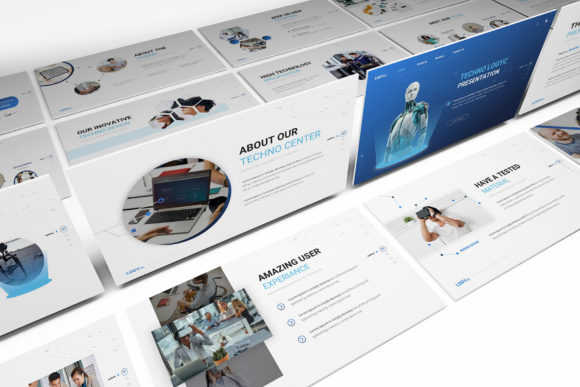
Elevate Your Tech Pitch with a Minimalist Powerpoint Template
In the world of technology presentations, clarity is king. Whether you are pitching a disruptive SaaS product to investors, presenting quarterly analytics to stakeholders, or unveiling a new digital marketing strategy, the medium is just as important as the message. A cluttered, outdated slide deck can instantly undermine your credibility. This is where the Technology Powerpoint Template enters the conversation. It isn't just a set of slides; it is a strategic design asset built on a foundation of flat and minimalist principles. By stripping away unnecessary ornamentation, this template allows your ideas to breathe and your data to take center stage.
The Power of Flat and Minimalist Design
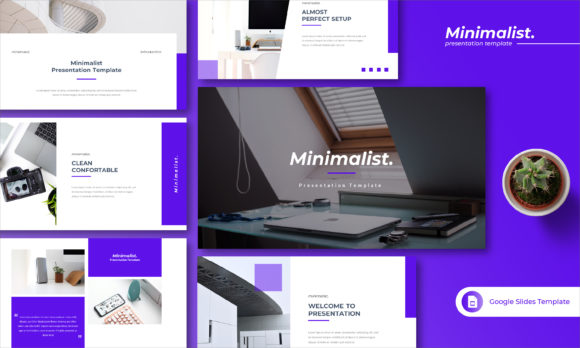
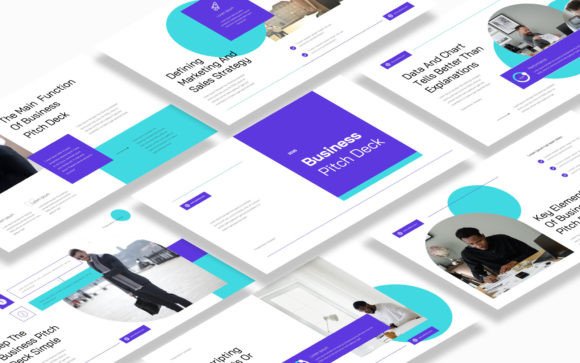
There is a common misconception that "minimalist" means "boring." In the context of modern web design and editorial design, however, minimalism is a sophisticated stylistic choice that demands precision. The Technology Powerpoint Template adopts a flat design approach, which means you won't find heavy drop shadows, bevels, or 3D effects here. Instead, the visual personality relies on clean lines, generous white space, and a deliberate use of color.
This aesthetic is crucial for brand identity. When you present using a flat, minimalist layout, you signal to your audience that your brand is modern, organized, and forward-thinking. The design concept acts as a neutral yet stylish canvas. It doesn't compete with your content; it frames it. For entrepreneurs and small business owners, this professional polish is invaluable. It bridges the gap between a rough idea and a high-quality brand presentation, ensuring that your visuals match the standard of your business operations.
Anatomy of the Template: Features That Matter
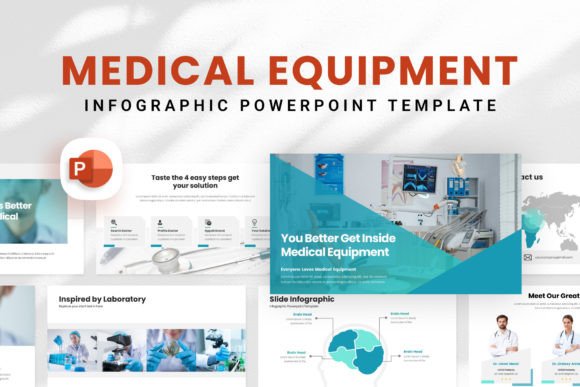
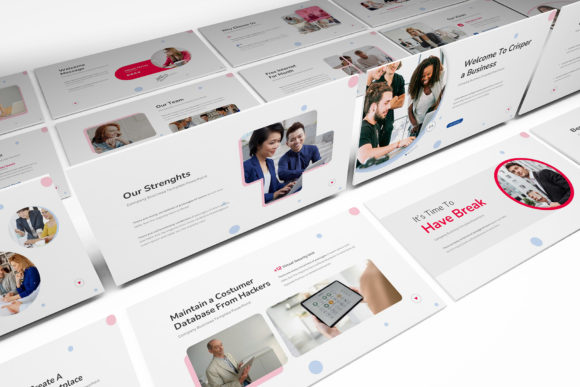
Understanding what makes this design asset effective requires looking under the hood. The Technology Powerpoint Template includes 30 unique slides, a number carefully curated to cover the entire lifecycle of a tech pitch or corporate update without overwhelming the user with redundant options. The format is 1920x1080 Full HD, ensuring that your graphics remain crisp and legible on modern projectors and widescreen monitors.
One of the standout features is the reliance on free fonts. Many premium templates lock users into expensive commercial font licenses, creating hidden costs. This template prioritizes accessibility, allowing you to maintain the design's integrity without purchasing additional premium font licenses. Furthermore, the inclusion of subtle animation & transition effects adds a layer of dynamism to your delivery. These aren't the jarring "fly-in" animations of the early 2000s; they are smooth, professional movements that guide the audience's eye and keep the pacing engaging.
Practical Application Across Industries
The versatility of this Technology Powerpoint Template extends far beyond the tech sector. Because of its clean nature, it serves as a robust foundation for various creative projects.
- Marketing and Branding: For marketers, the slides function perfectly as a media kit or a social media strategy deck. The clean grid layouts are ideal for displaying social media graphics mockups or campaign timelines.
- Startups and Investors: Entrepreneurs can leverage the structured hierarchy to tell a compelling story. The visual hierarchy naturally guides the investor from the problem statement to the solution and finally to the financial ask.
- Education and Workshops: Bloggers and content creators hosting webinars will find the minimalist aesthetic helps maintain focus. It works similarly to a sans serif font in typography—modern, readable, and devoid of distraction.
Even in niche fields like packaging design presentations, the template’s neutral background allows product photos to pop. It acts much like a versatile typeface—it supports the subject matter rather than overshadowing it.
Maximizing Visual Hierarchy and Readability
Great presentations rely on modern typography and layout to create a visual hierarchy. This template is designed to help you organize information logically. By utilizing distinct sections for headers, body text, and data visualization, you ensure that your audience can scan and digest information quickly.
Think of the slide layouts like a well-designed magazine page. You need a place for the headline, a spot for the supporting imagery, and clear space for the body copy. The Technology Powerpoint Template manages this balance expertly. When you pair this layout with high-quality imagery—keeping in mind that stock images are placeholders to be replaced with your own assets—you create a cohesive narrative. The design encourages you to be concise. If a slide is too busy, it breaks the minimalist spell. This constraint is actually a benefit, forcing you to distill your message down to its most potent form.
Strategic Integration and Customization
Adopting a new design asset requires a bit of strategy. To get the most out of the Technology Powerpoint Template, consider how it fits into your existing brand identity.
- Color Adaptation: While the template comes with a specific color palette, the flat design makes it incredibly easy to swap in your brand colors. Because the shapes are solid and flat, recoloring them doesn't break complex gradients or textures.
- Font Pairing: Although the template uses free fonts, you might want to integrate your specific brand typography. The minimalist layout serves as a great testing ground for font pairing. Try using a bold display font for titles and a legible sans serif font for the body text to maintain that clean, tech-forward look.
- Image Selection: Since the images in the preview are not included, you have total freedom here. Avoid generic "people pointing at screens" stock photos. Instead, opt for high-fidelity product shots, abstract tech textures, or team photos that reflect your company culture.
Ultimately, this template is more than just a file; it is a framework for communication. For designers, bloggers, and crafters alike, having a reliable, high-quality presentation tool in your arsenal saves time and elevates your professional output. It ensures that when you stand up to speak, your visuals are working just as hard as you are. By embracing the flat, minimalist aesthetic of the Technology Powerpoint Template